Blockchain Authenticity Certificates for WooCommerce

WooChainPro brings blockchain authenticity to WooCommerce. When a customer checks out, a tamper-proof certificate for their order is minted to their wallet on Optimism or Arbitrum, and anyone can verify it.

Certificates minted at checkout on Arbitrum. Optimism.

Optimism Arbitrum
AI ASSISTANT
Ask AI to explain WooChainPro
Get a simple explanation using your preferred AI assistant.
Want to understand WooChainPro? Ask ChatGPT, Gemini, Grok, Perplexity or Claude.
QUESTION Explain WooChainPro in simple terms: what it does, who it's for, and how to start.
Choose your AI
No account with WooChainPro is required.

HOW IT WORKS

From Checkout to Verifiable Certificate

Automatic for every eligible order once your store is set up.

  • WooCommerce Order

    They pay with your usual WooCommerce payment methods, choose Optimism or Arbitrum, and add the wallet that should receive the certificate.

  • A Certificate Is Minted

    WooChainPro mints a unique certificate for the order and records it on the chosen public blockchain.

  • It Arrives in Their Wallet

    Works with standard wallets and smart-account wallets, including MetaMask smart accounts.

  • Anyone Can Verify It

    Buyers, resellers and marketplaces can look up the certificate and confirm it came from your verified store.

Verifiable proof

Proof Your Customers Can Check Themselves

A certificate isn’t a PDF anyone can copy. It’s a record on a public blockchain, tied to your verified store.

Check Check

Unique On-Chain Certificate

Each certificate has its own token ID and contract address. It can’t be duplicated or quietly edited.

Check Check

Tied to Your Real Domain

Domain verification links your contract to your website, so certificates trace back to your store and not a look-alike.

Check Check

Public Certificate Lookup

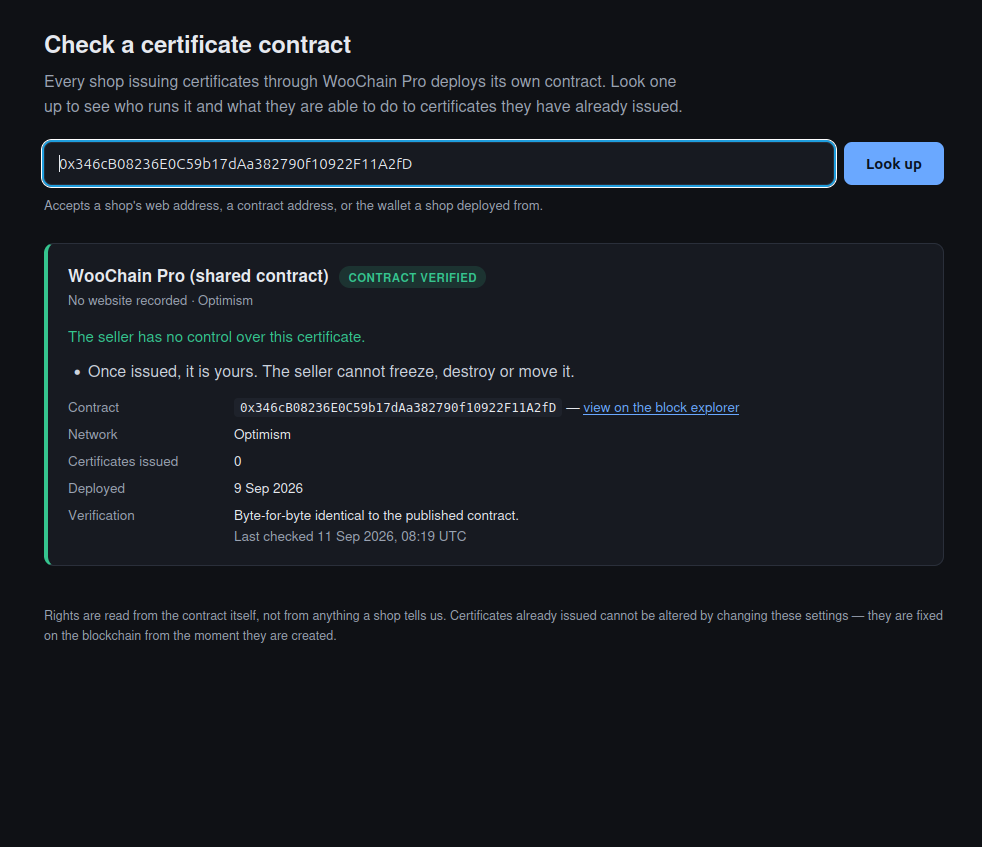
Anyone can check a contract or token on the WooChainPro lookup page or on a public block explorer. No account needed.

Blockchain authenticity certificate for a WooCommerce order on the WooChainPro lookup page

Seller rights

Your Contract. Your Rules. In Plain Sight.

Choose which powers your authenticity contract holds. Your choice is permanent and shown on your store’s security badge, so customers know exactly what you can and can’t do.

Lock Lock

Freeze

Temporarily block a certificate from being transferred, for example while a dispute is open.

Doc-text-inv Doc-text-inv

Revoke

Permanently destroy a certificate, for example after a confirmed fraudulent order.

Forward Forward

Force Transfer

Move a certificate to another wallet without the holder’s approval, for example to recover one sent to a lost wallet.

Most Shops Should Choose None.

Every right you enable is written into your contract permanently. Enable only what you’d be comfortable explaining to a customer.

Optimism Mainnet
Arbitrum Mainnet

Security badge

A Security Badge That Keeps Proving Itself

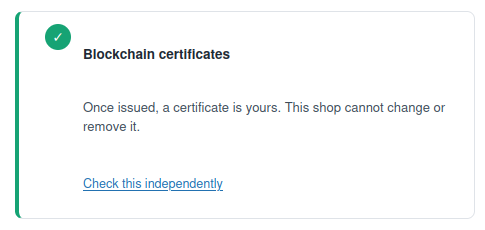
The WooChainPro security badge isn’t a static image. It’s backed by ongoing proof that you control your domain. If that proof lapses, the badge is withheld until it’s restored.

WooChainPro security badge displayed on a WooCommerce store transparent

Built for store owners

Built for the Way You Run Your Store

Book-open Book-open

Guided Setup

A step-by-step tour walks you through every plugin screen, from connecting your store to your first certificate.

Chart-bar Chart-bar

Ledger and Statistics

See certificates issued, fees and account activity in built-in charts.

usdc-usd-coin-svgrepo-com

Simple USDC Billing

Platform fees and your shop balance are in USDC, payable on Base, Optimism or Arbitrum.

wordpress-social-media-svgrepo-com

WordPress Native

NativeInstalls like any WordPress plugin and works inside your existing WooCommerce admin.

FAQ

Common Questions

Is WooChainPro a crypto payment gateway? No. Customers pay with the payment methods your store already uses. WooChainPro adds a blockchain authenticity certificate to the order; it doesn’t process payments.

Which blockchains are supported? Optimism and Arbitrum. The customer chooses one at checkout. Supported Blockchains

How does someone verify a certificate? Enter the contract address or token on the certificate lookup page, or check it on a public block explorer for that network. certificate lookup page

Do my customers need a crypto wallet

What does it cost? The plugin is free to install. Platform fees are paid in USDC; see the plans on Get WooChainPro.

Can I change my seller rights later? No. Rights are written into your contract when you deploy it and can’t be added or removed afterwards. That permanence is what makes them trustworthy to customers.

Final call to action

Bring Blockchain Authenticity to Your WooCommerce Store

Install the plugin, verify your domain and issue your first certificate.

Certificates are recorded on public blockchains and remain independently verifiable.